







*This help article is for current district governors. The functionality described on this page is designed specifically for district governors and will not appear if you are not a current district governor.
The Grand Chapter Bylaws require district governors to appoint chapter counselors and balanced man stewards. AVCs do not have access to appoint these positions themselves in mySigEp. There are two potential workflows to approve/assign chapter counselors and balanced man stewards:
• Scenario 1: You actively recruit the candidate for the role
• Scenario 2: An AVC provides a recommendation for who they wish to be appointed to this role
Scenario 1: You Recruit the Candidate Yourself
If you’re actively recruiting a candidate for this role, you can add them to your volunteer recruitment pipeline. More instructions on adding leads to your pipeline from the blue ribbon list can be found here under method 2.
1. Add the candidate to your volunteer recruitment pipeline
2. Properly vet the candidate. AVC buy-in is always a good idea, but you are the ultimate decision-maker here
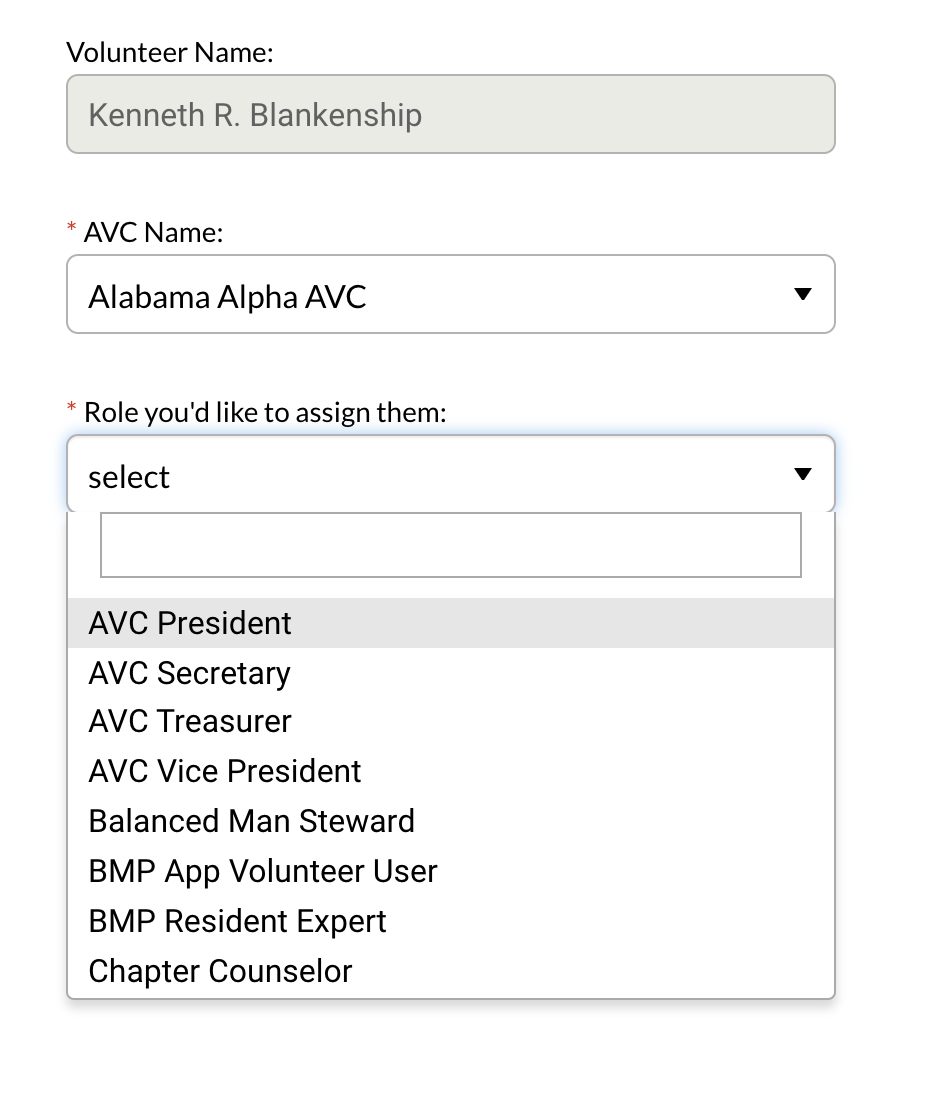
3. Click “Assign Role”
4. In the pop-up window, select the AVC
5. Then select the role of chapter counselor or balanced man steward
Scenario 2: AVC Recommendations
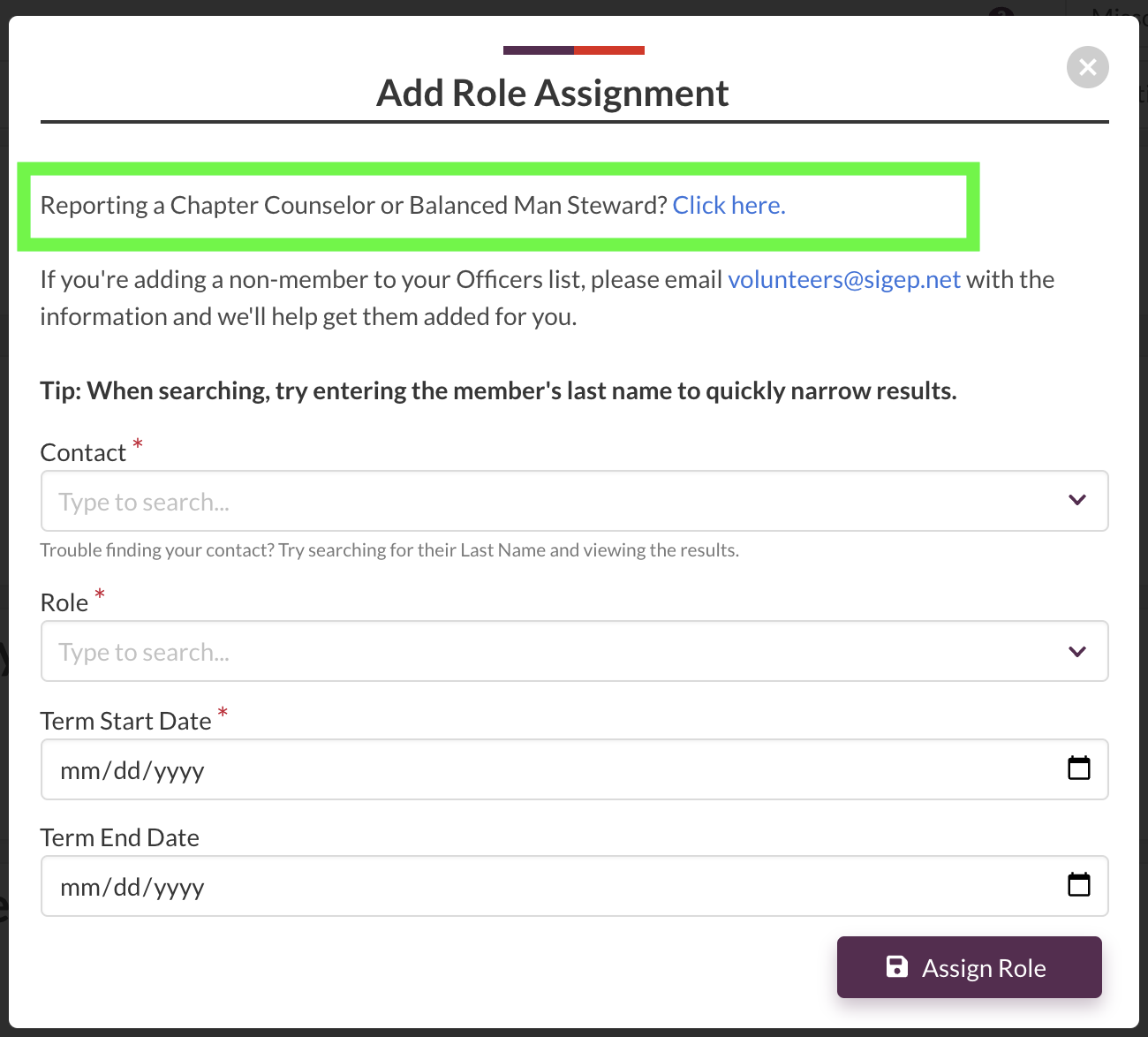
Occasionally, an AVC may know of an upcoming vacancy and have a recommendation of who to fill in that role before you ever realize it’s becoming vacant. In those circumstances, an AVC can recommend a chapter counselor or balanced man steward to be appointed by their respective district governor. When an AVC is appointing a new role to their AVC, the options to select a new chapter counselor or balanced man steward are not available. Instead, there is a note to click into a separate page and form to request the district governor’s approval.
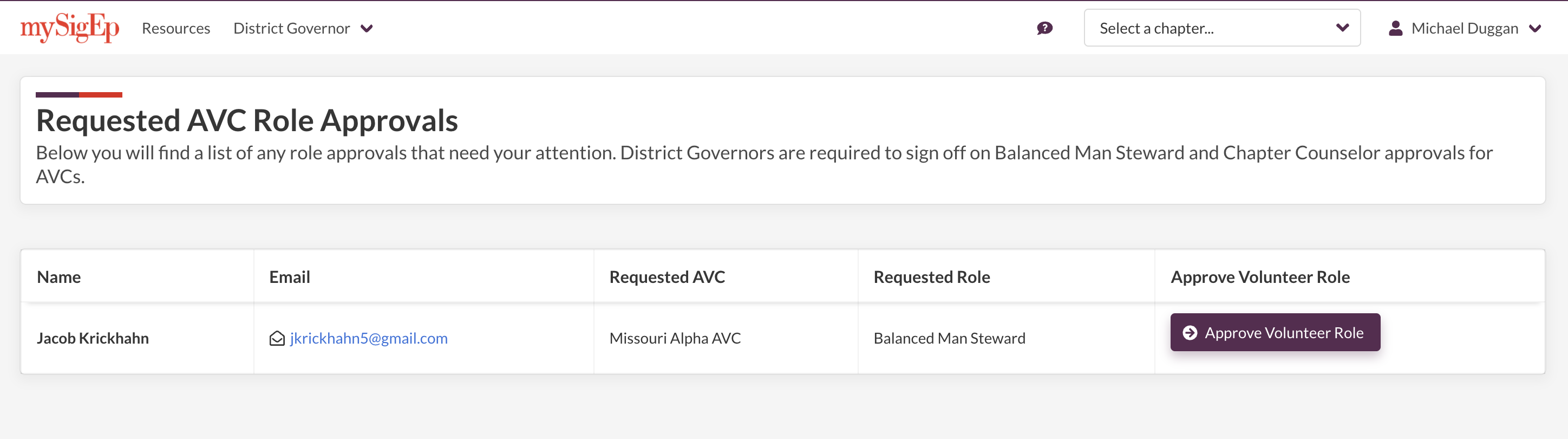
When an AVC submits a potential chapter counselor and balanced man steward to be considered by the district governor, that lead will appear in the “Requested AVC Role Approvals” tab. You will receive a notification of a new lead that needs your review, and you can choose to vet the candidate as necessary. If you trust the AVC’s opinion on the candidate, you can simply approve the volunteer role by clicking “Approve Volunteer Role” and assigning the correct role on the next page.
What comes next?
In both scenarios, assigning this role will send an automatic email from our system that essentially says:
“{{District Governor name}} has assigned you as the {{chapter counselor/balanced man steward}} for the {{AVC name}} AVC. Please reach out to the district governor if you have any questions.”
This will also automatically enroll the candidate in any HQ-designated onboarding email series campaigns relevant to the role to deliver necessary resources like role descriptions, helpful guides and information, and who to contact for more help.